












Sales Proposals
RFx Response Management — RFPs, RFQs, RFIs, DDQs.
SalesVault generates precise, structured responses to any
RFx or vendor questionnaire in under 5 minutes — saving
days and hours of your team's time.
Content Assembly · Proposals · RFP · RFQ · RFI · Questionnaires
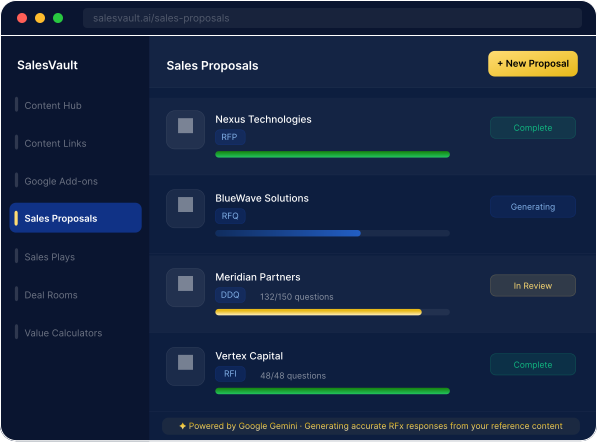
Build and instantly generate a complete Proposal, an RFx response or a
Questionnaire spreadsheet — automatically.
 Step 1: Input
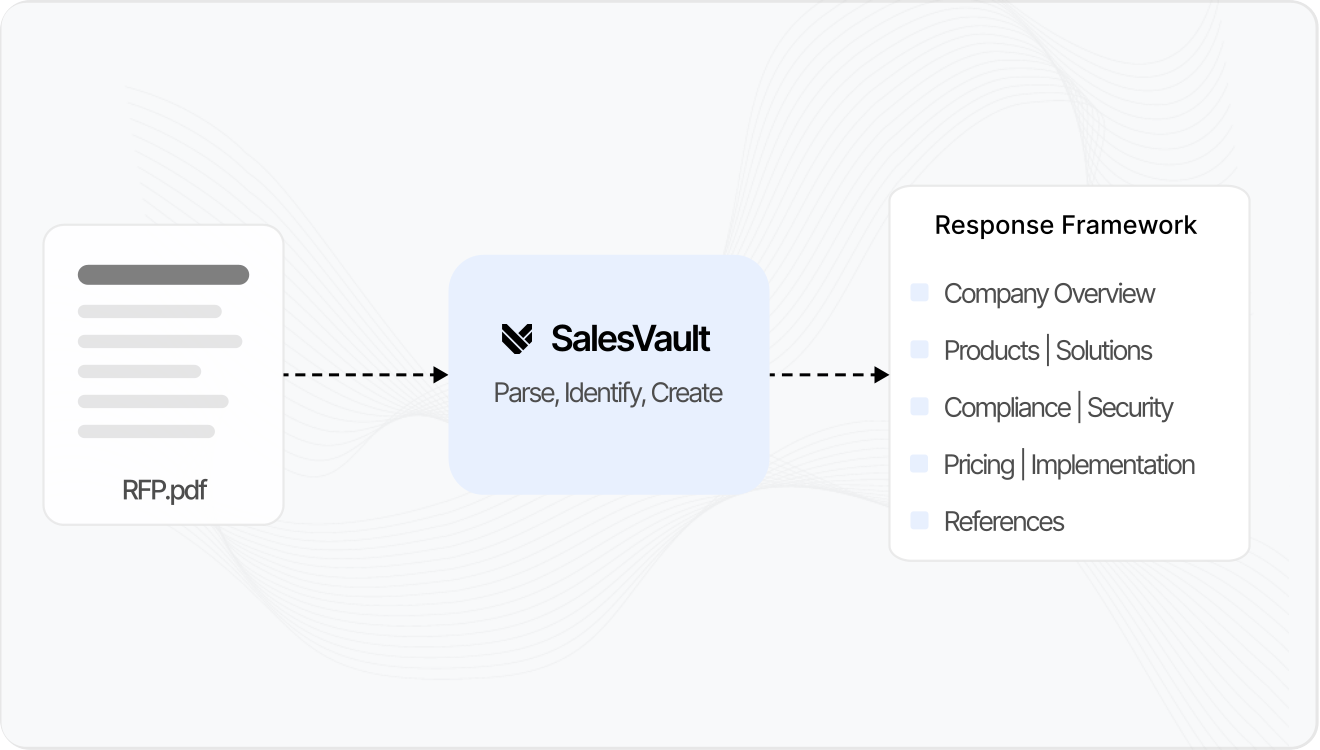
Drop in the RFx. SalesVault reads it.
Upload the RFx document — PDF, Drive file, Word, or Excel — and
SalesVault automatically parses the structure, identifies question
categories, and creates a response framework in < 60 seconds.
 Step 2: Build
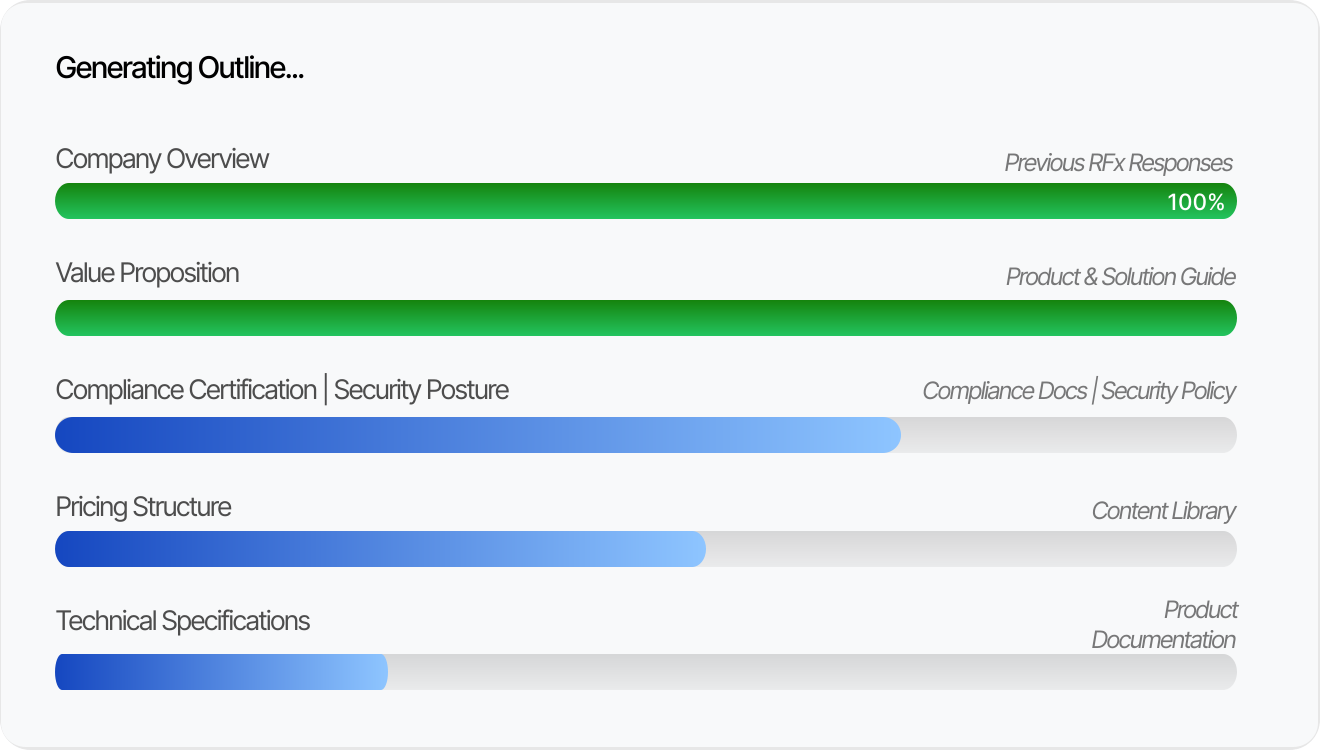
Precise responses, question by question.
Powered by your reference content and past responses,
SalesVault generates accurate, contextually relevant answers to
every question — without you writing a single word from scratch.
 Step 3: Verify
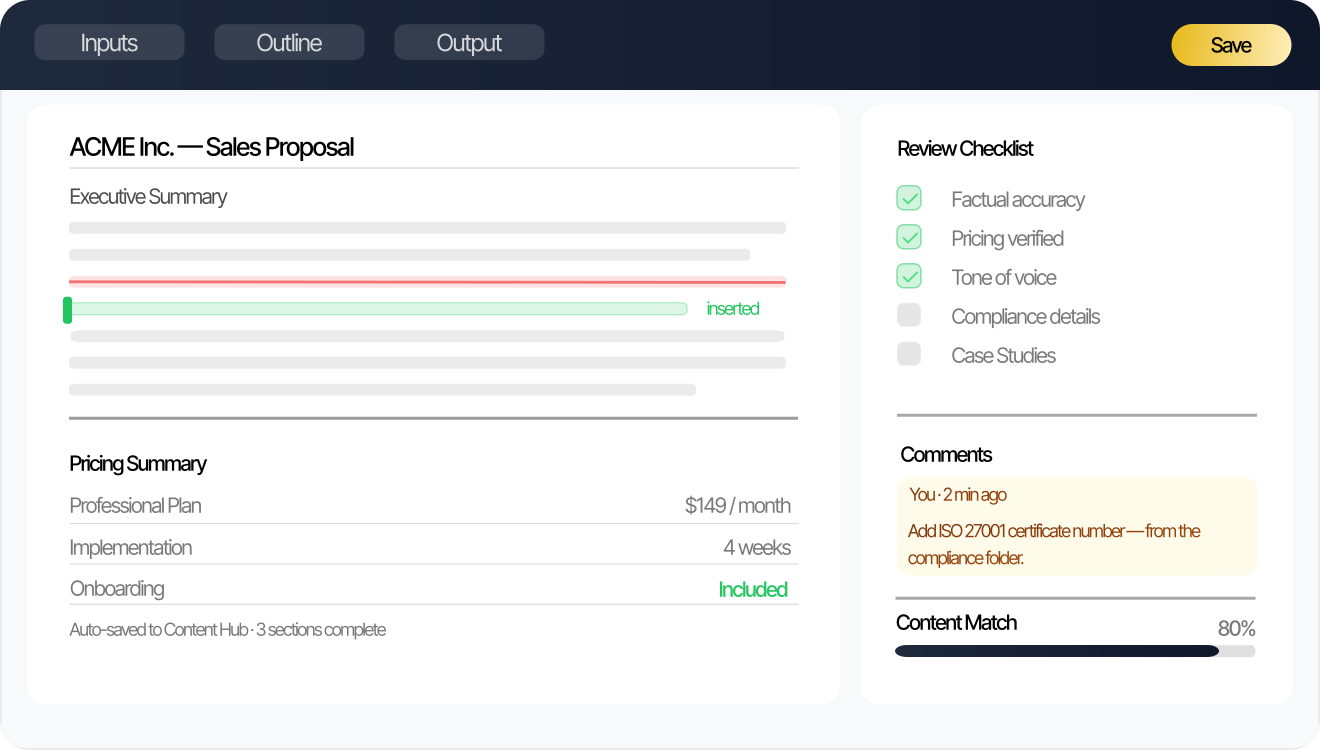
Review, refine, and verify.
Every generated response is fully editable. Review the SalesVault
AI generated output, add your specific expertise, adjust for tone,
and verify technical accuracy before finalizing the document.
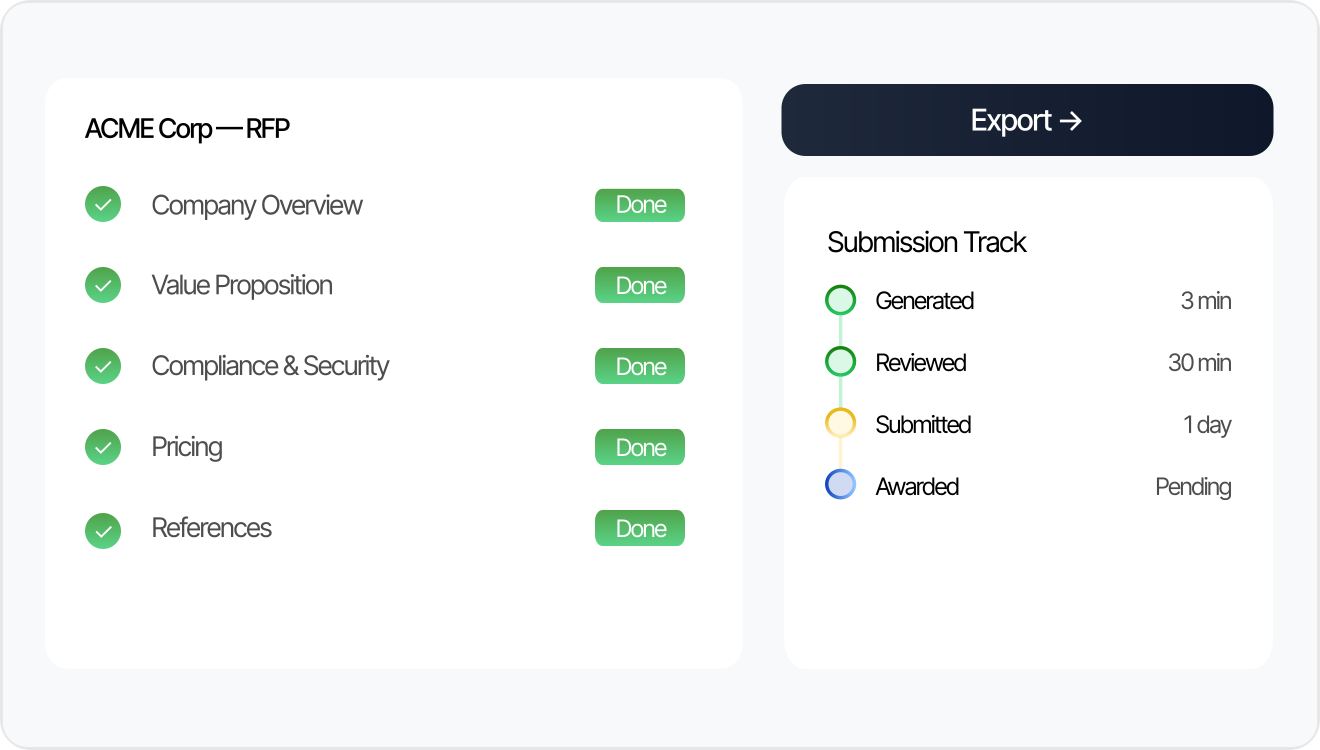 Step 4: Activate
Submit. Win. Learn. Repeat.
Export your completed RFx response in the required format, track
submission status with your prospect or buyer, and use the RFx
responses to build a richer knowledge base for the next one.

"Lengthy security questionnaires used to kill our deal velocity — everything was being done manually with
incomplete information. SalesVault changed that completely. What used to take 2 days now takes under 2
hours. We stopped losing RFx opportunities to slow response times."
Your best proposals, built instantly.
Cut RFx and Questionnaire response time by 80% and eliminate the manual scramble.

All RFx Types
RFPs, RFQs, RFIs, VIQs, SRQs, DDQs —
covers every format and questionnaire type.

Prospect Intelligence
Deep target company analysis auto-feeds into
how responses are positioned.

80% Faster
What took 3 days is now generated in < 5 min.
Never miss a submission deadline.

More time, more proposals.
5-minute generation means you can review
better and respond to more RFx requests.

Automated content management
Generated RFx content is auto-saved to your
Content Hub and Sales Proposals dashboard.

Reference Library
Import past RFx responses as reference
content. SalesVault learns from the history.
Frequently Asked Questions (FAQs)
RFPs, RFQs, RFIs, DDQs, Security Questionnaires, and Vendor Questionnaires. If it has structured questions requiring responses, SalesVault handles it.
SalesVault uses the existing reference content that you provide — past responses, technical documentation, product specifications, security policies — to generate accurate answers without requiring live input from your technical team.
Yes. Every completed RFx response is auto-added to your Content Hub and Sales Proposals dashboard. You can use previous RFx responses at any time as reference material to guide the next response or questionnaire output.
Complete and precise RFx responses, supported by the right reference content and materials, take less than 5 minutes. This includes responses to complex security questionnaires with 150+ questions, something that previously would have taken 3–5 days.
Yes. Every RFx response shows a comprehensive preview, which is your starting point. You review each section, answer, make edits, add specific details, and verify accuracy before finalizing the draft.
Ready to deploy winning RFx responses ?
Stop losing RFx opportunities to slow response times. Generate precise and complete responses in < 5 min.